How to Get Your Local Business on Google Maps
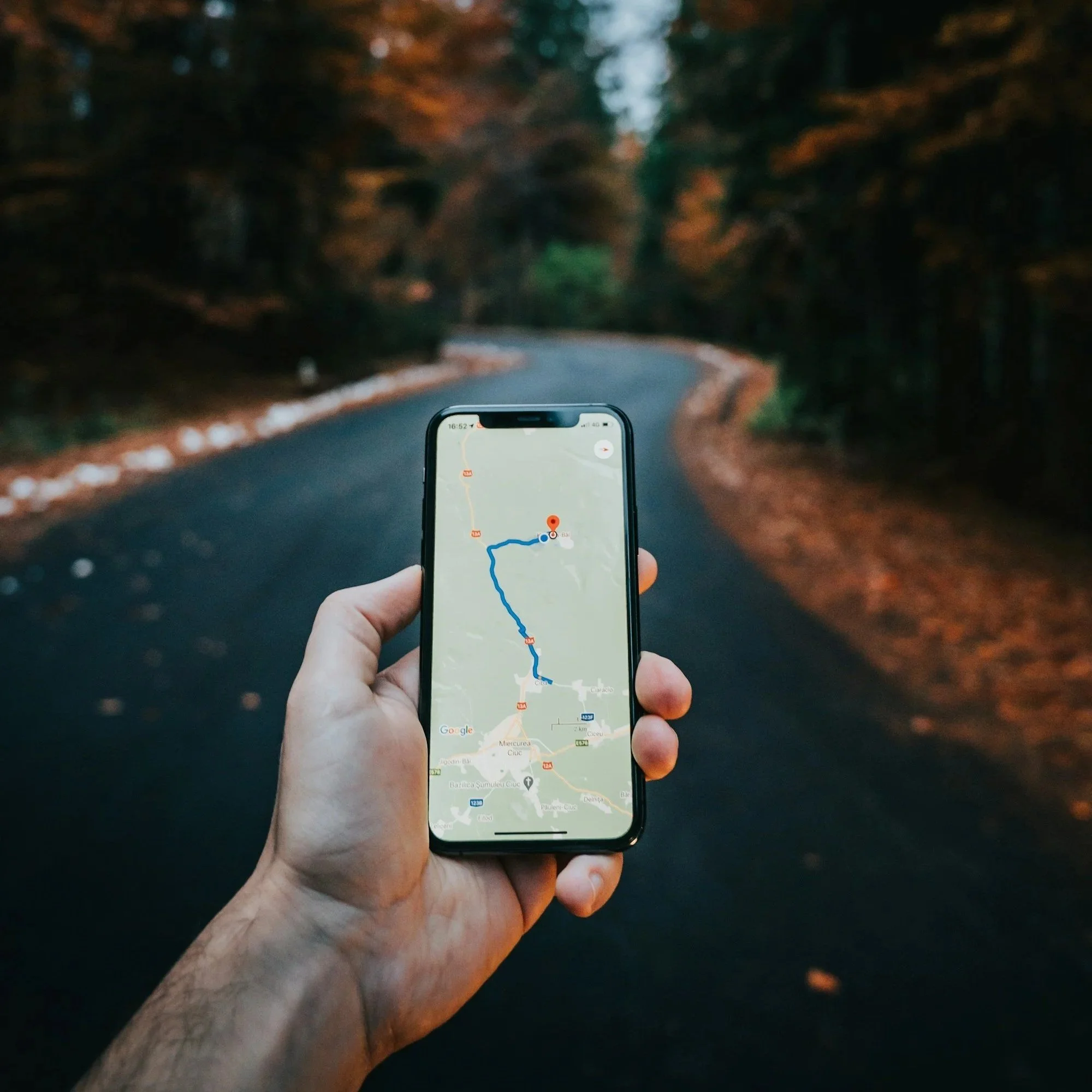
When someone in your city pulls out their phone and searches for what your business offers, a map appears. Three businesses are listed. Most of the clicks go to those three. If your business isn't one of them, that customer is going to someone else.
Google Maps is the front door of local search. It's where buying decisions are made, where phone calls originate, where driving directions get requested, and where potential customers evaluate you before they ever visit your website. According to BrightLocal's 2025 research, 80% of US consumers search online for local businesses every week — and 76% of people who search for a local business on mobile visit within 24 hours.
The good news: getting your business onto Google Maps and ranking well in local search results is entirely achievable without a big ad budget. It requires the right setup, consistent optimization, and ongoing attention to a handful of signals that Google uses to decide which businesses to show. This post walks you through every step.
How Google Maps Rankings Actually Work
Google Maps results — also called the local pack or map pack — are not simply a list of the nearest businesses. Google uses three primary factors to decide which businesses appear and in what order.
The first is relevance: how closely your business profile matches what the searcher is looking for. The second is distance: how far your location is from the searcher or the location they specified. The third is prominence: how well-known and credible your business is based on links, reviews, directory listings, and overall online presence. Google's own documentation states clearly that businesses providing complete, accurate information are more likely to rank for relevant searches.
Of these three, distance is the one factor you can't control. But relevance and prominence are almost entirely within your hands — and they account for the vast majority of what separates businesses that dominate the map pack from those that never appear in it.
A 2025 study of over 3,200 local businesses found that proximity accounted for roughly 55% of ranking influence. Among the controllable factors, review count accounted for around 19%, and the signals coming from your Google Business Profile itself made up a significant portion of the rest. The takeaway: you can't move your location, but you can out-optimize nearly any competitor through better profile management, more reviews, and stronger website signals.
📍 The map pack gets the clicks — The three businesses that appear in the Google Maps local pack capture a disproportionate share of local search clicks. Appearing in the top three for your main service keywords is worth more traffic than ranking on page one of organic results for most local queries. This is where the optimization effort pays off.
Step 1: Claim and Verify Your Google Business Profile
Your Google Business Profile is the listing that controls how your business appears on Google Maps and in local search results. Before you can optimize anything, you need to claim and verify it.
To create a new profile or claim an existing one, go to business.google.com. Search for your business name — Google may already have a listing for you from third-party data. If a listing exists, claim it. If not, create one from scratch. The process is free.
After submitting your information, Google will ask you to verify the business. Verification methods are determined automatically by Google and currently include video recording (Google's preferred option), phone or text with a code, email, a live video call with a Google representative, or a postcard mailed to your business address. The postcard method takes up to 14 days to arrive and expires after 30 days. Only after verification will your profile appear on Maps and search results.
⚠️ Don't edit while waiting for verification — If you're using the postcard verification method, do not change your business name, address, or category while waiting for the postcard to arrive. Editing these fields invalidates the current postcard and restarts the process.
Once verified, Google reviews your information — a process that can take up to five business days. After approval, your business is live on Google Maps. Now the real optimization work begins.
Step 2: Complete Every Field in Your Profile
Profile completeness is the most controllable ranking lever you have. Google's own data shows that businesses with complete profiles are 18 times more likely to be discovered in searches, and consumers consider complete profiles 2.7 times more reputable than incomplete ones.
Work through every section of your profile without leaving anything blank.
Business name
Use your exact legal business name — no keyword stuffing, no location additions. Adding keywords to your business name (like "Miami Plumber — Joe's Plumbing") violates Google's guidelines and can result in a suspension. Your name should match your signage, your website, and every other directory listing exactly.
Primary and secondary categories
Your primary category is one of the most powerful relevance signals in your entire profile. Choose the most specific category that accurately describes your core business — not a broad one. If you're a residential electrician, "Electrician" is better than "Contractor." Industry data suggests categories drive 30–40% of ranking power. Add secondary categories for every relevant service you offer, but keep them accurate — categories should reflect what you actually do, not what you want to rank for.
Business description
You have 750 characters. Use them. Write a clear, specific description that covers what you do, where you do it, who you serve, and what makes your business worth choosing. Include your main service keywords and your city naturally — this is one of the few places you can directly tell Google what your business does in your own words. Avoid promotional language like "best" or "cheapest" — Google may filter those out.
Services and products
List every service you offer with its own name and description. Each service entry is an additional relevance signal — a potential match for a different search query. A web design agency that lists "SEO," "Web Design," "Google Business Profile Management," "Social Media," and "Paid Ads" as individual services has five times the relevance surface area of one that lists only "Digital Marketing."
Hours, phone, website, and address
Keep these accurate at all times. Update your hours for holidays. Make sure your phone number is a direct line, not a call center or tracking number that differs from what's on your website. Your website URL should point to your homepage or a relevant landing page. Your address must match what appears on your website and every directory listing — character for character.
Step 3: Add Photos — and Keep Adding Them
Photos are not decoration. Google's own data shows that businesses with photos receive 42% more requests for directions and 35% more clicks to their website than those without. Businesses with 100 or more photos see dramatically higher engagement — including over 500% more calls compared to the average listing.
Upload a mix of photo types: your exterior (from multiple angles and times of day so customers can recognize your location), your interior, photos of your team at work, and examples of completed projects or services. Use real photos taken at your actual business. Google's Vision AI classifies uploaded images and uses them to understand what your business does — stock photos provide no useful signal and can undermine credibility.
Keep adding photos over time. Profiles with recently uploaded photos signal active, current businesses to both Google and potential customers. A profile last updated two years ago with the same five photos it launched with is a profile that looks abandoned.
📸 Cover photo matters most — Your cover photo is what appears in the map result and is the first image most potential customers see. Choose a high-quality, well-lit photo that represents your business clearly — ideally your storefront, workspace, or a signature service shot. Update it seasonally to signal ongoing activity.
Step 4: Build Reviews Consistently — Not Just Once
Reviews are the second most important ranking factor for Google Maps, and their influence has grown significantly in recent years. According to Whitespark's 2026 Local Search Ranking Factors report — the industry's most comprehensive annual survey of local SEO experts — review signals now account for approximately 20% of Local Pack ranking influence, up from 16% in 2023.
Two aspects of reviews matter most: volume and recency. Volume gives Google confidence — a business with 80 reviews signals more credibility than one with 4. But recency may be the more underrated factor. Research published by Whitespark in 2025 found that businesses with fresh reviews consistently ranked higher than those with older review sets of equal or greater volume. Google appears to weight recent reviews heavily when determining current ranking.
What this means practically: reviews are not a one-time project. Getting 20 reviews and stopping is not a strategy. Building a consistent monthly process for asking satisfied customers to leave a review — and making it as easy as possible by sharing a direct link — is what produces durable ranking benefits.
What makes a review more valuable
Not all reviews carry equal weight. Reviews that mention specific services, specific locations, and specific outcomes give Google more data to work with when matching your profile to relevant searches. A review that says "Daniel completely rebuilt our Google Business Profile and we went from nowhere to the top of Google Maps in six weeks" is significantly more useful — to both Google and human readers — than "Great service, highly recommend."
When asking for reviews, give customers a gentle prompt about what to mention. Something like: "If you could mention the specific service we helped you with and what changed for your business, that would be incredibly helpful." Specific reviews build both human credibility and AI and search engine visibility at the same time.
Responding to reviews
BrightLocal's 2025 Local Consumer Review Survey found that 88% of consumers would use a business that responds to both positive and negative reviews. Only 47% would use a business that doesn't respond at all. Responding to reviews is not just customer service — it's a public demonstration to every potential customer reading your profile that you're attentive and professional. Respond to every review, positive and negative, within 48 hours.
Never incentivize reviews — offering discounts, gifts, or payment for reviews violates Google's policies and can result in a profile suspension. Build reviews through genuine service and a consistent ask, not through incentives.
Step 5: Make Your NAP Consistent Everywhere
NAP stands for Name, Address, and Phone number. When your business information appears identically across dozens of online directories, review sites, and data aggregators, Google encounters multiple independent sources confirming the same facts about your business. That consistency is a confidence signal — it tells Google your data is reliable and your business is legitimate.
The opposite is also true. An old phone number still listed on Yelp, a suite number missing from your Apple Maps listing, or your business name formatted differently across platforms introduces inconsistency that undermines Google's confidence in your data. Research suggests that businesses with citations across 10 or more sites can see significantly improved search visibility, while inconsistent citations can actively suppress rankings.
The major directories to prioritize include Google Business Profile, Apple Maps, Yelp, Facebook, Bing Places, Yellow Pages, and the BBB. Beyond those, data aggregators like Data Axle and Neustar Localeze distribute your business information to hundreds of smaller directories automatically — getting listed with them is one of the most efficient ways to build citation consistency at scale.
Do a NAP audit before building new citations. Search your business name on Google and check your top 10 directory listings. Find anywhere your name, address, or phone number differs from your current correct information — and fix those inconsistencies before adding new listings. Consistent citations built on corrected data outperform more citations built on inconsistent data.
Step 6: Connect Your Website — and Make It Count
Your Google Business Profile and your website are not separate systems. Google cross-references your profile with your website to verify your business information and assess your overall credibility. Your position in organic web results directly influences your Maps rankings — Google has confirmed this in its own documentation.
This means a weak website limits your Maps ranking potential regardless of how well-optimized your profile is. A Seattle plumbing company studied in 2024 ranked in the top five on Google Maps until a Google core update dropped their organic website rankings — within weeks, their Maps position dropped too. When they rebuilt their website SEO, both rankings recovered.
The most important website factors for Maps rankings include having your business name, address, and phone number displayed consistently on the website (matching your GBP exactly), dedicated service pages for each service you offer, location-specific content mentioning your city and service area, Local Business schema markup that tells Google exactly what your business is, and a fast, mobile-responsive experience.
If your website is slow, poorly structured, or missing service pages, fixing those issues will improve your Maps rankings — not just your organic search performance. The two are connected.
Step 7: Post Regularly and Stay Active
Google's local algorithm has increasingly weighted behavioral and engagement signals — evidence that a business is active, current, and responding to its customers. Regular posting to your Google Business Profile is one of the clearest signals of ongoing activity you can send.
Google Posts now remain visible for approximately six months before archiving (previously they disappeared after seven days). Post at least twice a month — more if you have the capacity. Posts can cover service updates, seasonal offers, recent project highlights, tips for your customers, or anything that demonstrates your business is operating and engaged. Include a photo with every post. Include a call to action pointing to your website or booking page.
Beyond posts, keep your profile fresh by adding new photos regularly, updating your hours when they change, answering questions in the Q&A section, and seeding that section yourself with the most common questions customers ask — and answering them. An active, regularly updated profile signals to Google that your business is a reliable, current source of information worth showing to searchers.
🗓️ Consistency beats intensity — Two posts a month every month for a year outperforms twelve posts in one month and nothing after. Google rewards profiles that maintain a steady cadence of activity over time. Build a simple content calendar — even just a recurring reminder — to keep posting without it falling off your to-do list.
How Long Does It Take to Rank on Google Maps
The honest answer depends on your market, your starting point, and how consistently you execute. That said, the general timeline for a local business doing the work correctly is well-documented.
Simple corrections — fixing an inaccurate category, updating your hours, or adding missing photos — can produce visible impact within days to two weeks. Meaningful ranking movement on competitive keywords typically starts to appear at the four-to-six-week mark. Noticeable improvements in GBP engagement metrics — more direction requests, more calls — tend to emerge around the two-to-three-month mark. Significant positioning in the competitive local pack, including top-three placement for your main keywords, generally takes three to six months of consistent effort.
Factors that accelerate the timeline include being in a less competitive market, having an existing website with some domain authority, starting with a foundation of reviews already in place, and executing consistently rather than in bursts. Factors that slow it down include operating in a highly competitive category, starting from scratch with a new domain, or having significant NAP inconsistencies that need cleaning up before new signals can take effect.
The businesses that see the strongest Maps results in year two are almost always the ones that started the work consistently in year one — not the ones that optimized intensively for a month and then stopped.
What's Changed: AI and Google Maps
The most significant development in local search over the past year is the integration of AI into how Google surfaces business information. Google's AI Overviews now pull directly from Google Business Profile data when generating answers to local search queries. When someone asks Google "who's the best plumber in Brickell?" — the AI-generated response at the top of the results page is drawing from GBP profiles, reviews, and website content to decide which businesses to name.
This means your Google Business Profile is no longer just a Maps ranking tool — it's a direct input into AI-generated search recommendations. A fully optimized, actively maintained profile with strong reviews and complete service listings gives Google's AI more data to work with when deciding whether to recommend your business.
The good news for local businesses: the optimization work that improves your Maps ranking also improves your AI search visibility. The same profile completeness, review volume, NAP consistency, and website authority that rank you on Maps are the signals AI tools use to recommend local businesses. You're not building two separate systems — you're building one foundation that serves both.
Get Your Business to the Top of Google Maps
Volume 3 of the Seva Soul Studios Digital Growth Series is a complete Google Business Profile optimization guide — covering every field, every ranking signal, review strategy, posting cadence, and everything you need to rank in the local map pack and stay there.
Vol 3: Google Business Profile
Or get the complete 4-volume bundle — SEO, Website, GBP, and AI Search — covering every pillar of your local digital visibility in one complete system.
Need it done for you? We set up, optimize, and manage Google Business Profiles for local businesses — from a one-time setup to ongoing monthly management.
Browse everything at sevasoulstudios.com/the-growth-studio
Book a free discovery call at sevasoulstudios.com/contact
About Seva Soul Studios
Seva Soul Studios is a digital marketing agency helping local businesses get found, trusted, and chosen online. We specialize in SEO, web design, Google Business Profile management, social media, and paid ads — with a focus on building durable local visibility that compounds over time.
sevasoulstudios.com · Book a free discovery call
Sources & Citations
The following sources were used in researching and writing this post. Statistics, case study data, and platform-specific guidance are drawn from these references.
[1] Google Business Profile Help — "Tips to improve your local ranking on Google" — https://support.google.com/business/answer/7091?hl=en
[2] Google Business Profile Help — "Add or claim your Business Profile" — https://support.google.com/business/answer/2911778?hl=en
[3] Google Business Profile Help — "Verify your business on Google" — https://support.google.com/business/answer/7107242?hl=en
[4] Google Business Profile Help — "Find your business on Google" — https://support.google.com/business/answer/145585?hl=en-419
[5] BrightLocal — "Google's Local Algorithm and Local Ranking Factors" — https://www.brightlocal.com/learn/google-local-algorithm-and-ranking-factors/
[6] BrightLocal — "Local Consumer Review Survey 2025" (January 29, 2025) — https://www.brightlocal.com/research/local-consumer-review-survey-2025/
[7] BrightLocal — "31 Local SEO Statistics You Need for 2025" — https://www.brightlocal.com/resources/local-seo-statistics/
[8] BrightLocal — "What Is NAP in Local SEO?" — https://www.brightlocal.com/learn/what-is-nap/
[9] Whitespark — "Local Search Ranking Factors 2026" (Darren Shaw, November 6, 2025) — https://whitespark.ca/local-search-ranking-factors/
[10] Whitespark — "Review Recency is the Most Underrated Local Ranking Factor in 2025" (May 2, 2025) — https://whitespark.ca/blog/the-most-underrated-local-ranking-factor-in-2025/
[11] Whitespark — "Optimizing Google Business Profile Photos & Videos" — https://whitespark.ca/google-business-profile-guide/photos-videos/
[12] Whitespark — "Top 50 Local Business Listing Directories (USA)" — https://whitespark.ca/top-local-citation-sources-by-country/united-states/
[13] Sterling Sky — "Does the Number of Google Reviews Impact Ranking?" (2025 update) — https://www.sterlingsky.ca/number-of-reviews-impact-ranking/
[14] Search Engine Land — "Why Google Reviews Will Power Up Your Local SEO in 2025" — https://searchengineland.com/google-reviews-local-seo-unleash-potential-429883
[15] Birdeye — "State of Google Business Profile 2025" (updated February 16, 2026) — https://birdeye.com/blog/state-of-google-business-profiles/
[16] Impression Digital — Search Atlas study of 3,269 local businesses (September 2025) — https://www.impressiondigital.com/blog/september-2025-google-algorithm-and-search-industry-updates/
[17] RankWorks — "Why Your Google Maps Ranking Dropped (And How to Fix It)" — https://rankworks.com/news/why-google-maps-rankings-dropped/
[18] DAC Group — "2024's Biggest Google Updates for Local Optimization" (January 14, 2025) — https://www.dacgroup.com/insights/blog/local-search/2024s-biggest-google-updates-for-local-optimization-what-you-need-to-know/
[19] Mappers GEO — "Google Business Profile Updates 2025: What's Changing" — https://www.mappersgeo.com/blog-post/google-business-and-local-search-update-for-q2-2025/
[20] Sixth City Marketing — "Do Citations Still Matter?" (July 24, 2024) — https://www.sixthcitymarketing.com/2024/07/24/do-citations-still-matter/